
On LinkedIn, you can utilize various filtering options to enhance your professional networking and job search experience. You can customize your searches with various filters available to find the most relevant connections, job opportunities, and industry insights.
Find People
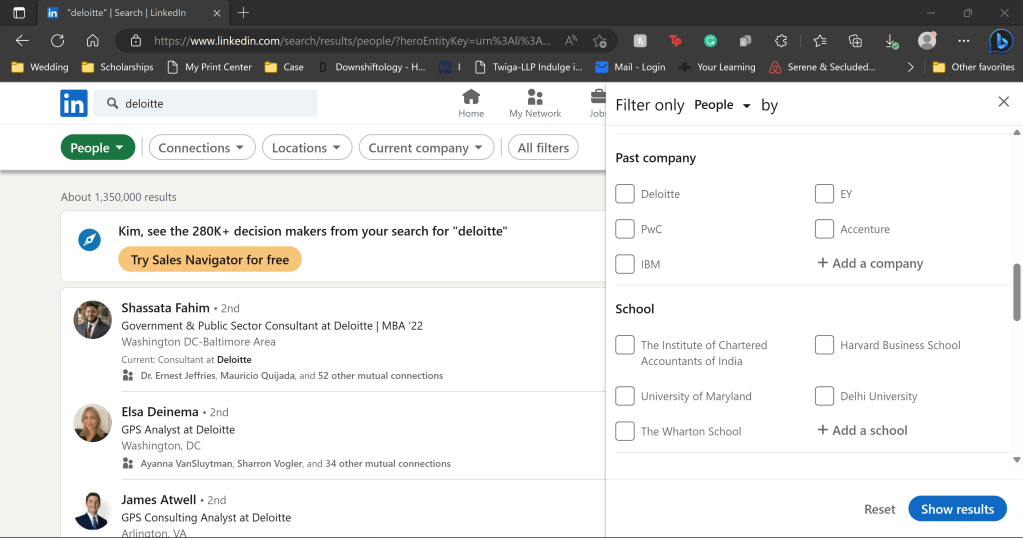
LinkedIn allows you to filter your people searches by connections, location, talks about, current company, past company, school, profile language, industry, and service categories. These filters empower you to pinpoint the individuals and opportunities that align best with your professional aspirations, saving you time and effort while maximizing your chances of finding meaningful connections and career prospects on the platform.
Find an Alum Connection
- Search for the Company you want to work for.
- Select People to view all people at the desired company.
- Select “All Filters.”
- Filter by “School” and view all the people at your university that work at the company
Find Career Changers
- Search for the Company you want to work for.
- Select People to view all people at the desired company.
- Select “All Filters.”
- Filter by “Past company” to see if anyone was formerly at your current company and made the leap.
See who’s Hiring
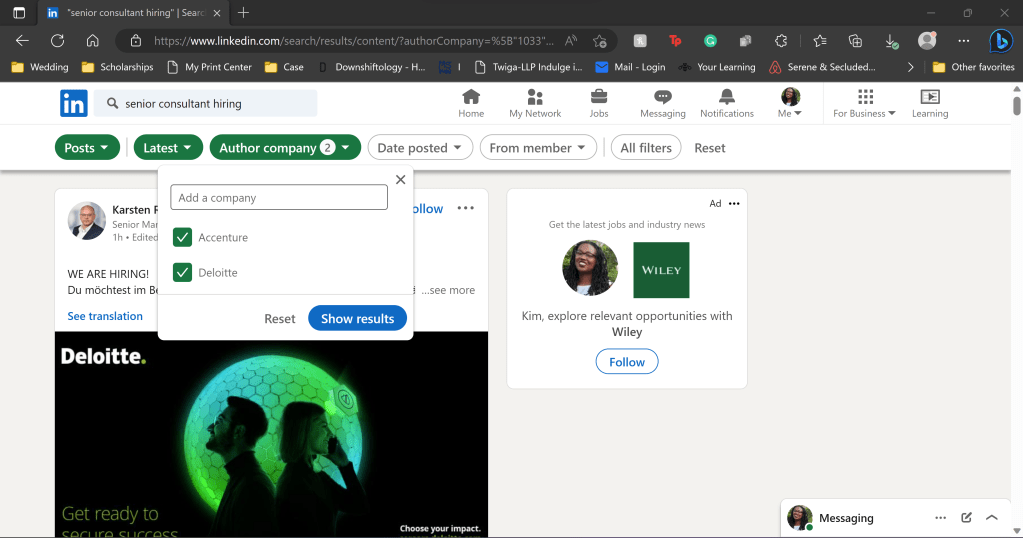
Sometimes finding a direct line to recruiters or leads on Linkedin feels impossible. Here is a trick to find who is hiring and what they are hiring for in your desired company.
- Search for Target Job + Hiring, for example, “Senior Consultant Hiring.”
- Filter for “Posts”
- Go to “All Filters” > “Author Company”
- Add your target companies
- Apply for the role and DM the person who posted it.
See the Salary
Most companies won’t post a salary range, period. However, Colorado passed a law requiring them to. When you’re on a LinkedIn post, you will often see Colorado and the salary. Search for your target job in Colorado and simply adjust the salary range for the cost of living in your area. Now you have a semi-accurate salary range. My favorite cost-of-living calculator is https://money.cnn.com/calculator/pf/cost-of-living/index.html. Select I live in CO Denver, and select the nearest location where you plan to take the job as “I want to live.” Boom! Set your salary expectations accordingly. Of course, glassdoor is the tried and true method, but if an app is more your speed download, ask the people over there on Fishbowl (I’m not sponsored).
 Classroom to Corporate